Know what comes next.
Build a saved queue of products, demonstrations, or breaks, with a starting view and private cues for each item.
EXPLORE VENDIVO
Your cameras. Your screen. Your way of showing up. Prepare a live show, record a lesson, or bring an idea into focus with Vendivo for Mac.
Mac app available now. See features, platforms, and requirements.
01 / PREPARE YOUR PRODUCTION
Give your show a running order. Put the right view with each item. Keep your notes where only you can see them, so you can concentrate on the people watching.
See the guided show setupBuild a saved queue of products, demonstrations, or breaks, with a starting view and private cues for each item.
Guided preflight helps you check cameras, microphone, recording, and the audience picture before a live show.
Vendivo prepares and maintains its OBS production scenes. Advanced controls stay within reach through Pro Mode.
02 / COMPOSE THE PICTURE
Keep the person and the subject connected. Choose the angle that makes the moment clearer, then switch as your production unfolds.
Frame yourself, show the close-up, or bring the wider scene into view. Mac production supports up to three cameras in landscape.
The Whatnot portrait workspace includes full-screen, stacked, and picture-in-picture views, with left or right presenter placement.
Your running order, private cues, status messages, and studio controls stay outside the managed audience picture.
TRY IT WITH YOUR OWN CAMERAS
Connect a webcam and phone in your browser. Switch between PiP and split view, then record a private rehearsal.
03 / CONTROL YOUR SHOW
Move to the next item, change the view, or mark a highlight from Stream Deck. Vendivo’s plugin puts live production controls at your fingertips while you keep presenting.
Included Mac plugin · macOS 13+ · Stream Deck 7.1+.
Controls the live production workspace; the separate screen recorder uses its own controls.
 Next item
 Previous item
 Host view
 Close-up
 Mark a highlight
 Show recording
04 / RECORD SOMETHING WORTH KEEPING
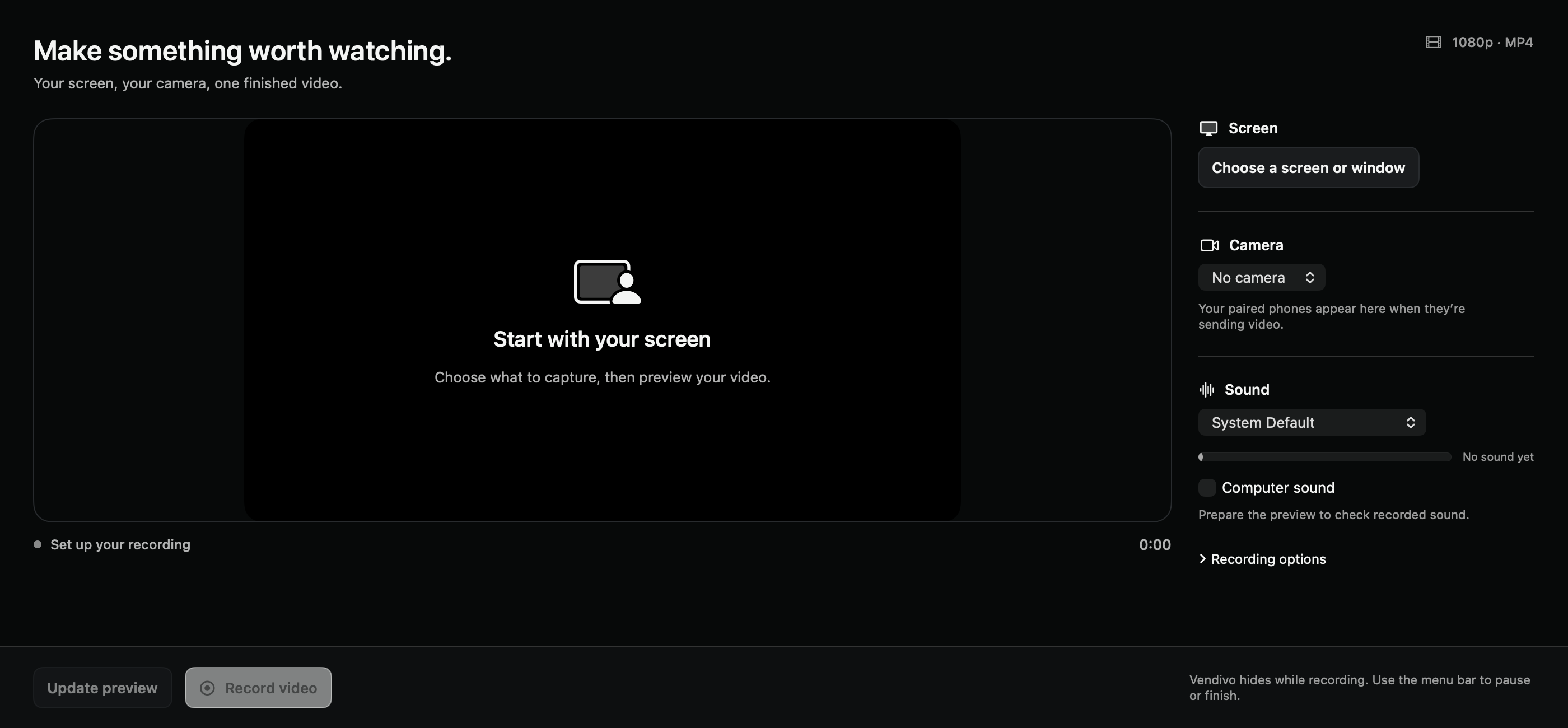
A software walkthrough, a lesson, a product demonstration. Vendivo gives recorded work its own place, alongside your live production.
SCREEN & CAMERA
Choose a screen or app window inside Vendivo. Add your camera as an overlay or side by side, choose microphone and computer sound, then record a finished video.
LIVE PRODUCTION RECORDING
Record the composed production on its own or alongside a supported broadcast. Use the recorded show timeline to export individual item clips.
One session can become more than one useful video.
Explore recording workflowsMAKE IT YOURS
Prepare your items, show the details, move through the sale, and keep your seller cues private.
Explore a selling setupShow a process with two camera angles, or record your screen and yourself for a walkthrough people can watch again.
Explore a recording setupSHARE THE FINISHED PICTURE
Vendivo prepares the production. Choose the delivery path that fits your audience and the broadcasting tools available to your account.
Use managed OBS production with RTMP or RTMPS for YouTube, Twitch, and compatible custom destinations.
Production engine guidePrepare a portrait show in Vendivo. Whatnot Show Tools handles the public broadcast; marketplace actions stay in Whatnot.
Whatnot setup guideOBS Virtual Camera sends the composed picture to apps with a camera picker. Choose a separate microphone in the receiving app.
Outputs and requirementsScreen recordings save on your Mac. Local-camera production uses the Mac and its OBS engine; your selected broadcast destination delivers the stream. The browser demo uses a separate pairing service and may relay encrypted video between your phone and computer. Its recordings save locally when you download them.
Vendivo’s local Start Show and End Show actions are separate from the public broadcast. Destination access, marketplace actions, and platform-specific restrictions remain with the destination.
APPS & AVAILABILITY
These are the tools behind the experience. Choose a workflow first, then check the devices and software it needs.
Your production workspace, with live-show preparation, camera views, and recording.
Apple Silicon + Intel · macOS 12.3+Record a display or app window, with optional camera, microphone, and computer sound.
macOS 13+Install from Vendivo to control the live production workspace. Stream Deck hardware is separate.
macOS 13+ · Stream Deck 7.1+Native iPhone and Android camera apps are in store-release preparation. Windows is in development. You can try phone-to-browser pairing today in the browser demo.
YOUR NEXT IDEA STARTS HERE